Most of us have ideas for unique patch designs, but the actual design process often feels intimidating, especially if you’re not a graphic designer. That’s exactly where AI steps in. Today, AI tools like Midjourney, DALL-E, Stable Diffusion, and Adobe Firefly make it incredibly easy to create custom patch designs with the right prompts.
In this guide, you’ll learn how AI can help you turn your patch idea into a clean, embroidery-ready design, step-by-step. Let’s break down the tools, prompts, and workflow that actually work.
AI vs Traditional Patch Design: What’s the Difference?
| Feature | Traditional Design | AI-Assisted Design |
| Time Required | Hours to days | Minutes to hours |
| Cost | $50-$500+ | $0-$60/month |
| Skill Level | Professional designer | Beginner-friendly |
| Revisions | Time-consuming | Instant iterations |
| Creativity | Limited by skills | Unlimited concepts |
7 Key Benefits of Using AI for Custom Patch Design
AI is changing the way custom patches are created by making the entire process simpler and more accessible.
- Rapid Prototyping & Instant Iteration: AI lets you produce dozens of patch concepts in minutes, so you can explore ideas without waiting.
- Cost-Effective Design Process: Instead of paying for every draft, AI gives you unlimited concepts for a small subscription.
- No Design Skills Required: You can turn a simple prompt into a clean, professional-looking patch concept. It removes the fear of “not being a designer” and makes creativity accessible to anyone.
- Unlimited Creative Possibilities: AI easily adapts to any style: vintage, tactical, cartoon, minimal, or anything in between. It helps you explore directions you might not think of on your own.
- Faster Time-to-Market: AI shortens the entire creative cycle so you can launch designs much sooner. Perfect when you’re working with deadlines, trends, or limited-time drops.
- Easy Collaboration & Approvals: Sharing AI-generated visuals makes feedback smooth and clear for teams or clients. People can react to real concepts, not rough sketches, which speeds up decisions.
- Great for Testing Ideas Before Production: AI lets you try out concepts without paying for design or sample embroidery. It’s a low-risk way to see what your audience responds to before investing.
Best AI Tools for Designing Custom Patches in 2025
AI tools make it easier than ever to create patch-ready designs. Each tool has its strengths, depending on whether you want high detail, speed, commercial safety, or full control.
Midjourney
- Best for: Artistic and highly detailed patch concepts
- Pricing: $10–$60/month
- Pros: Excellent quality, ideal for complex designs
- Cons: Requires Discord and some skill with prompts
Midjourney works well when you need intricate designs for a club emblem or military-style patch. You can generate multiple detailed versions quickly and select the one that fits your theme best.
DALL-E 3 (ChatGPT Plus)
- Best for: Beginners or quick iterations
- Pricing: $20/month (ChatGPT Plus) or pay-per-use
- Pros: Easy interface, follows instructions reliably
- Cons: Less artistic detail than Midjourney
DALL-E 3 is useful for creating team logos or simple merch patches in minutes. It allows rapid testing of different color schemes or basic design ideas before committing to production.
Adobe Firefly
- Best for: Commercial use where copyright safety is essential
- Pricing: Free tier plus paid plans
- Pros: Commercially safe, integrates with Adobe suite
- Cons: Slightly less creative than other generators
Firefly is ideal when you need legally safe designs for sale or promotional items. It can streamline production by producing clean, ready-to-refine concepts for vector conversion.
Stable Diffusion
- Best for: Budget-conscious designers who want full control
- Pricing: Free (open-source)
- Pros: Fully customizable and completely free
- Cons: Requires technical setup and familiarity with AI tools
Stable Diffusion works best if you want to experiment with unique patch styles without subscription costs. It allows adjusting models and settings to create exactly the type of design needed for embroidery.
How to Design a Custom Patch With AI: Step-by-Step Process
This workflow takes you from concept to production-ready files efficiently. Each step focuses on practical actions you can implement, whether you’re a beginner or experienced designer.
Step 1: Generate Your Patch Concept (Ideation Phase)
- Choose Your AI Tool: Select based on budget and style needs.
- Craft Effective Prompts: Use [Subject] + [Style] + [Format] + [Technical details].
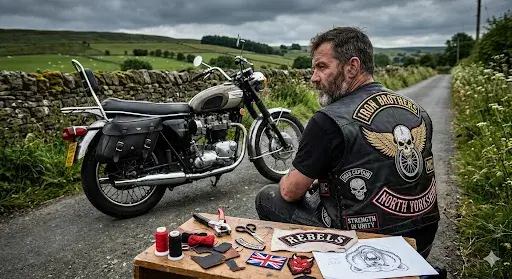
- Example Ideas: Military patch, sports logo, motorcycle club emblem, company logo, band merchandise.
- Tips: Include “embroidered patch,” specify “bold lines,” use 2–5 colors, and prefer white or black background.
- Test Variations: Generate 10–20 options and compare different styles.
Step 2: Refine and Select Your Design
- Evaluate: Check simplicity, color count (3–7), size scalability, line thickness, and text readability.
- Adjust: Modify prompts, refine with img2img, or combine elements from multiple versions.
- Feedback: Share with your audience or a designer to finalize the best option.
Step 3: Convert to Vector Format
- Why Vectors Matter: They scale without losing quality and meet manufacturing standards.
- Process: Upload to Vectorizer.AI or Illustrator, clean paths, adjust trace and color settings, ensure closed shapes.
- Check Quality: Zoom in to verify edges and color separation, then export as .AI, .EPS, or .SVG.
Step 4: Optimize for Embroidery Production
- Color & Lines: Limit colors to 3-5, merge shades, ensure minimum line thickness of 0.5mm, and increase text size if needed.
- Borders & Bleeds: Follow guidelines for merrowed or hot-cut edges.
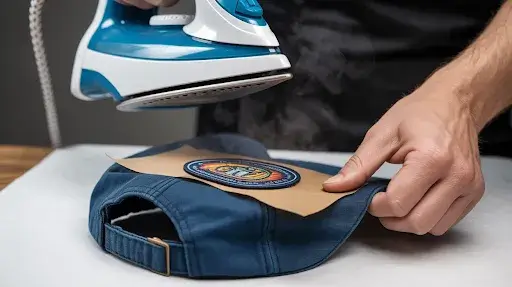
- Mockup: Place design on hats or clothing to preview the final patch.
Step 5: Prepare Final Files for Manufacturing
- File Checklist: Vector format, outlined text, specified colors, correct dimensions, and optional 300 DPI raster backup.
- Production Sheet: Include size, thread colors, border style, backing type, quantity, and special instructions.
- Manufacturer Ready: Once files and specs are complete, send to The Eagle Patches.
Frequently Asked Questions
Can you really design professional patches with AI?
Yes! AI tools like Midjourney and DALL-E can generate professional-quality patch concepts. However, you’ll still need to refine the output, convert to vector format, and optimize for embroidery.
What’s the best free AI tool for designing patches?
Stable Diffusion through platforms like DreamStudio or Stability.ai offers free credits to start. DALL-E also provides free credits monthly. For vector conversion, Vectorizer.AI has a free tier that works well for simple designs.
What file format do I need for custom patches?
Manufacturers prefer vector formats: .AI (Adobe Illustrator), .EPS, .PDF, or .SVG. These allow infinite scaling without quality loss. Always include a high-resolution PNG or JPG as backup (300 DPI minimum).
Can AI design patches for commercial use?
It depends on the AI tool’s terms of service. Midjourney allows commercial use for paid subscribers. DALL-E (ChatGPT Plus) allows commercial use. Always verify with your specific AI platform and ensure you have rights to any reference images used in prompts.
Order Your AI-Designed Custom Patches From The Eagle Patches USA
At The Eagle Patches USA, we specialize in turning AI-generated designs into high-quality embroidered patches. Our team understands how to optimize artwork for embroidery, providing in-house digitizing to ensure your design translates perfectly to fabric.
We offer free design reviews and professional feedback, so you can refine your concept before production, and there are no minimum order requirements, whether you need a 10 patch or a bulk run, we receive all quantities.